Feedback
The Engine Behind Real Progress
Turning

Into

A few days ago I got a question from Faika Mohamed on feedback. First I didn’t really understand her question on feedback, but later with some deeper digging and asking for some more clarification I understood what she was looking for.
I had always looked at it from the error correction perspective, I was trained to do it that way, and not the feedback perspective I already use in my classes. That’s what made it all a bit more confusing. So, let’s have a look at how most teachers are trained to deal with it, while changing it into a more holistic view of feedback.
Table of Contents
Delayed vs On-the-Spot Error Correction: Choosing the Right Moment (and Not Forgetting the Good Stuff)
Let’s start with a small but important truth that made the whole feedback vs error correction confusing:
Students learn just as much from what they do well as from what they do wrong.
In other words it’s not only about error correction but about feedback: both the ‘positive’ and the ‘negative’.
For most teachers, error correction often turns into the mission of finding the mistake, like a detective looking for clues or inconsistencies in witness statements at the same time all that great language goes quietly unnoticed.
So when we talk about when to correct or give feedback, we also need to talk about what we highlight (the good, the bad, the new) and when (not) to correct at all.
Looking at it from an error correction perspective there are 2 moments to deal with errors. Let’s have a closer look at them.
On-the-Spot Correction: Useful, but Not Always Necessary
On-the-spot correction happens immediately, during speaking or writing or when you notice the mistake. This means you deal with it straight after noticing the problem. It has its uses, but it’s not compulsory and always needed.
When does it make sense?
- During restricted or controlled practice, when the student is focused on the target language of that class.
- Focus on a specific grammar point or structure, especially for fossilized mistakes. These are mistakes the learner keeps on making again and again and even though they are at a much higher level. For example, forgetting the S in plurals or S in 3rd person present simple or forgetting to use the simple past even when at a C1 level.
- Pronunciation errors that cause misunderstanding. Not all pronunciation needs to be always corrected, but if it leads to confusion and I don’t know what you mean we need to deal with it. For instance: ‘My teacher has a beer’ when they actually mean ‘My teacher has a beard’ Having a beer can get the teacher fired, one should not drink alcohol in class. However, teachers with beards can still be good teachers 🙂
How to correct on the spot?
On-the-spot correction doesn’t have to mean “Stop. That’s wrong.” There are different options you have, a whole range of techniques, each with their pros, cons and different effects on confidence, fluency and noticing.
The key is choosing the right tool for the moment.
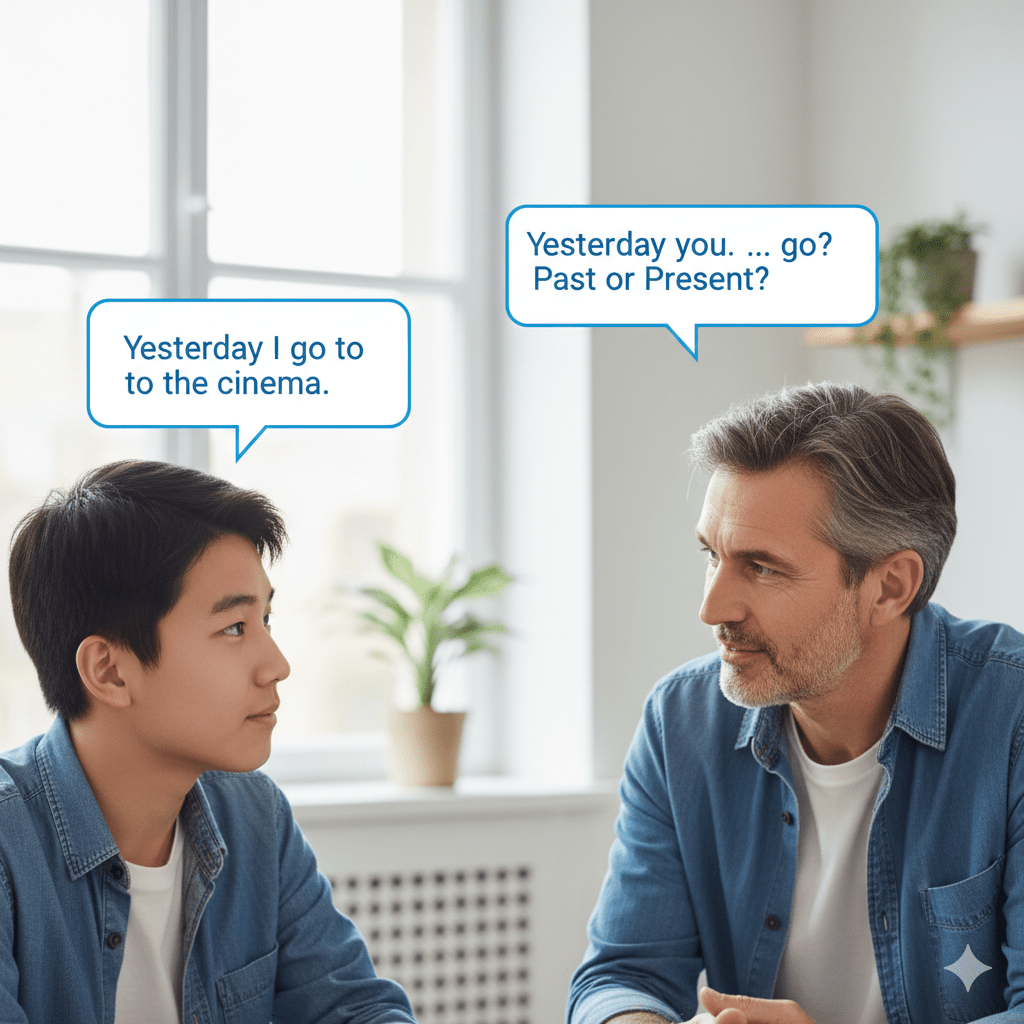
1. Turning It into a Question
You repeat the error as a question or use a guiding question to prompt self-correction.
Example: Student: “Yesterday I go to the cinema.” Teacher: “Yesterday you… go?” or “Past or present?”
Pros
- Encourages self-correction
- Keeps students mentally active
- Less teacher-centred
Cons
- Can confuse lower-level students
- Slows fluency if overused
- Not effective if students don’t know the rule yet
Best for: B1+ students, accuracy-focused practice, students who already “half-know” the form.
2. “Did You Mean…?”

You reformulate the sentence as a polite clarification.
Example: Student: “She don’t like coffee.” Teacher: “Did you mean she doesn’t like coffee?”
Pros
- Very gentle and respectful
- Feels like real communication
- Reduces embarrassment
Cons
- Students may just say “yes” without noticing the correction
- Less effective for repeated errors
Best for: Sensitive students, confidence-building stages, mixed-ability classes.
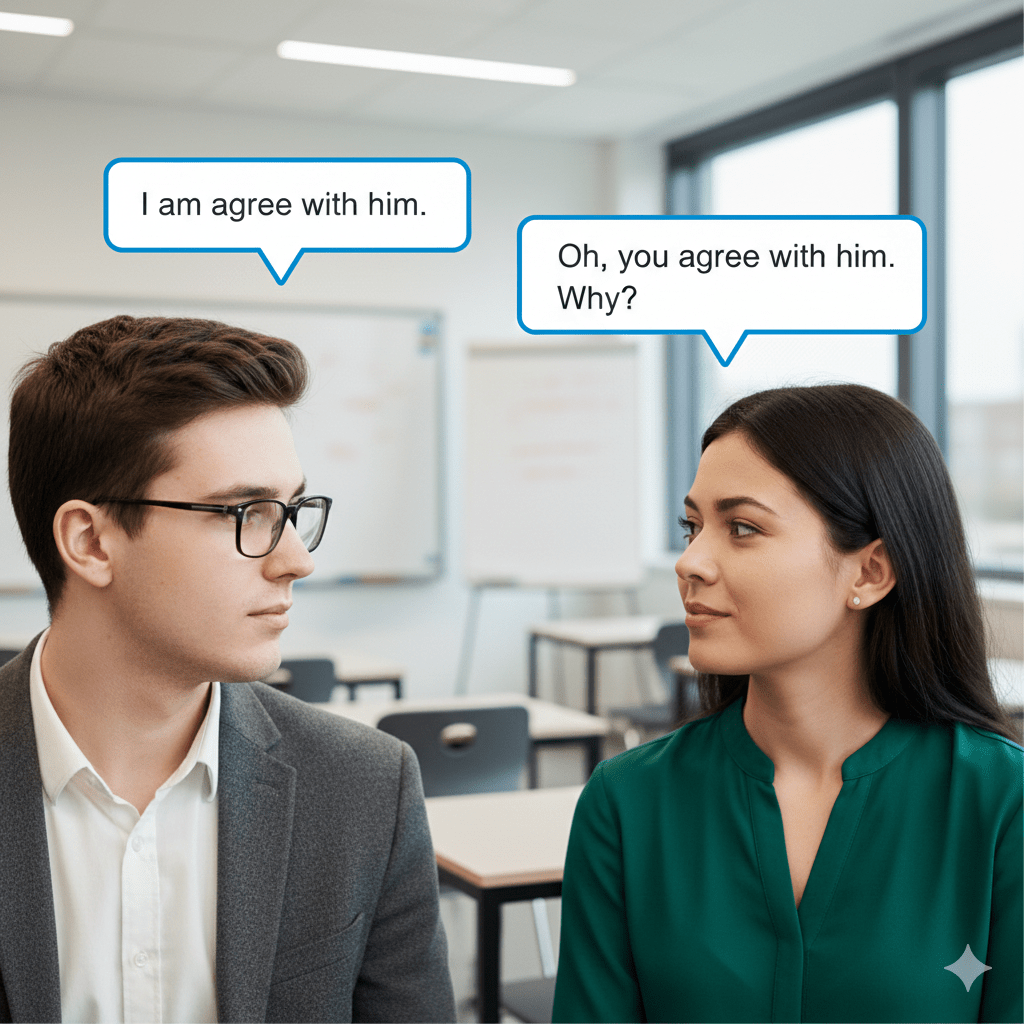
3. Parroting / Recasting (Model the Correct Language)
You repeat the sentence correctly and continue the conversation.
Example: Student: “I am agree with him.” Teacher: “Oh, you agree with him. Why?”
Pros
- Very natural and fluent
- Does not interrupt communication
- Excellent for pronunciation and grammar modelling
Cons
- Students may not notice the correction
- Learning is implicit, not guaranteed
Best for: Fluency stages, pronunciation, minor grammar slips.
4. Giving Options
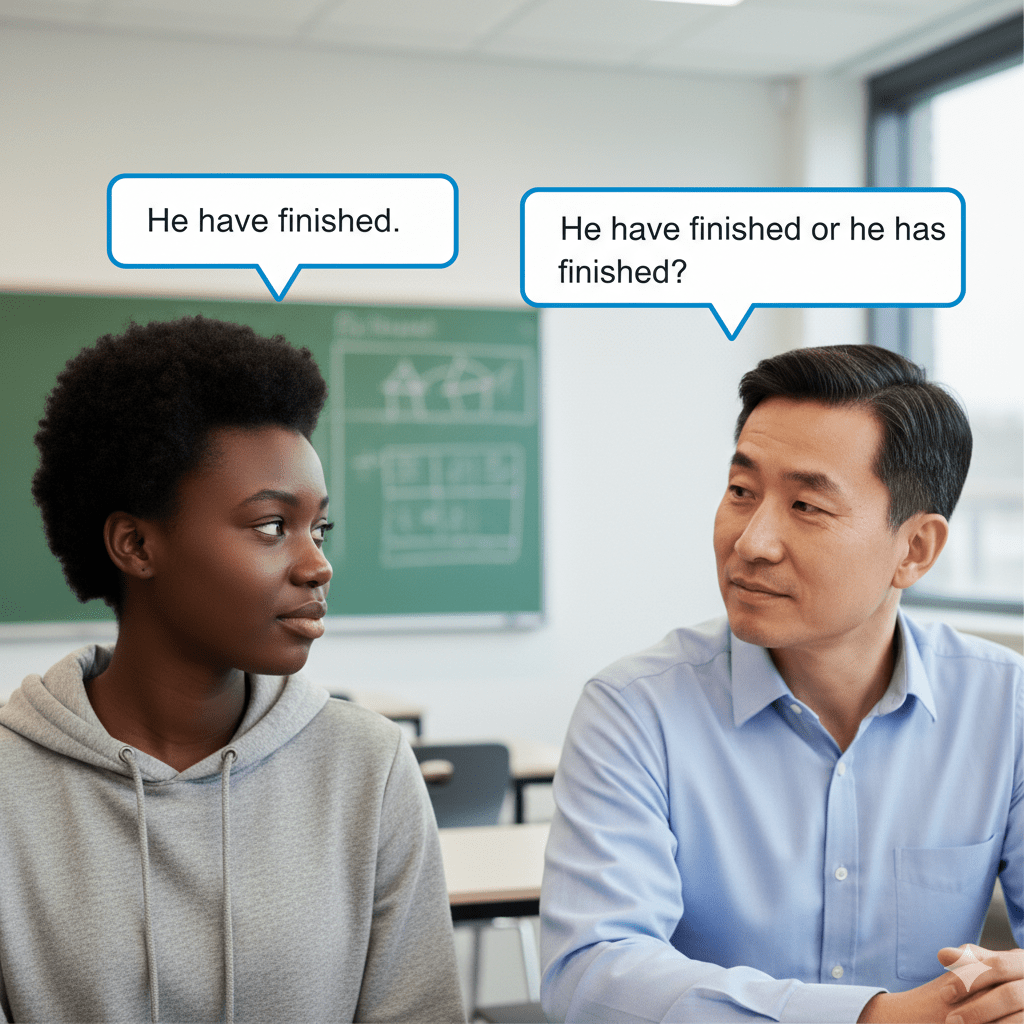
You offer two or more choices and let the student select the correct one.
Example: Student: “He have finished.” Teacher: “He have finished or he has finished?”
Pros
- Clear and supportive
- Encourages noticing without long explanations
- Works well with teens
Cons
- Can become teacher-led
- Not suitable for open fluency tasks
Best for: Controlled practice, revision, quick checks of form.
Still, this is my personal preference when dealing with on the spot correction.
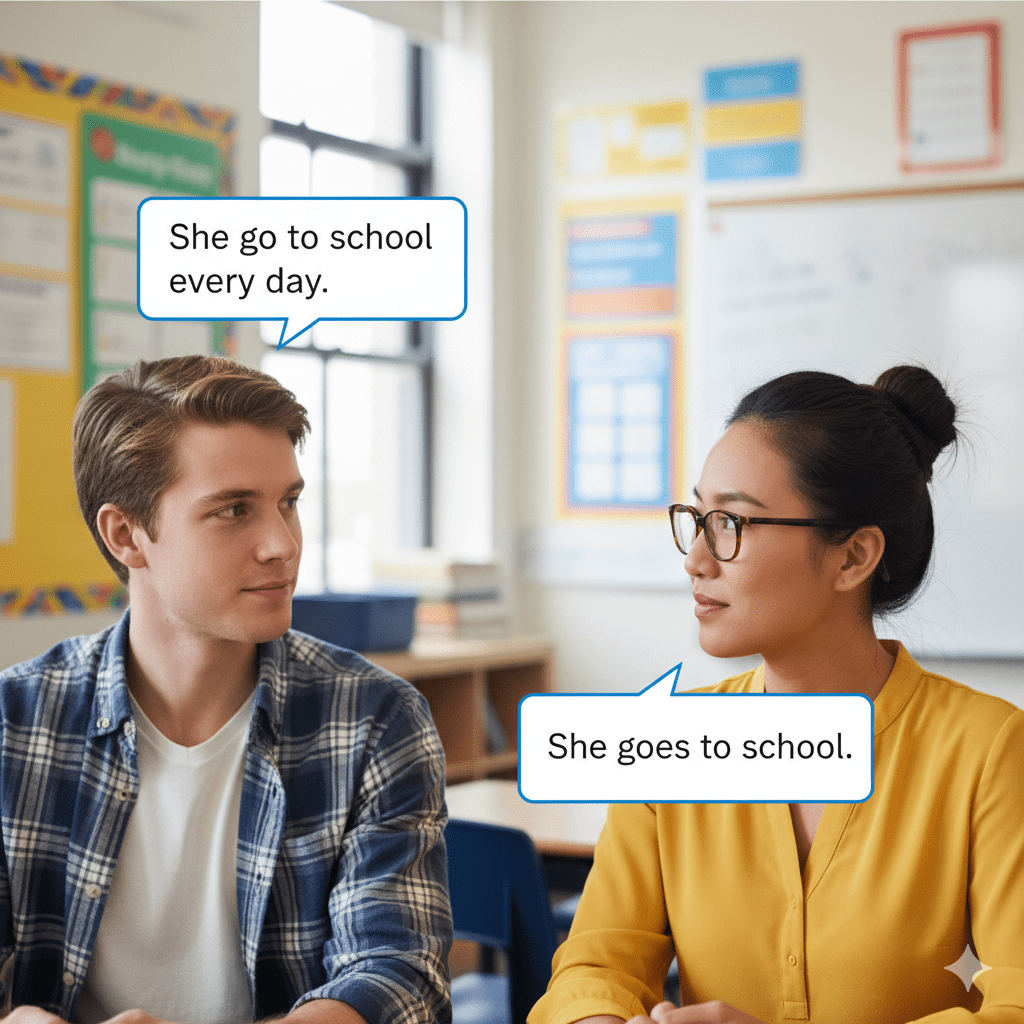
5. Just Correcting (Direct Correction)
You give the correct form clearly and immediately.
Example: Student: “She go to school every day.” Teacher: “She goes to school.”
Pros
- Fast and unambiguous
- Useful when time is limited
- Reduces confusion
Cons
- Can feel abrupt if overused
- Doesn’t promote learner autonomy
Best for: Restricted practice, clear target language errors, beginners.
6. Finger Correction / Non-Verbal Signals
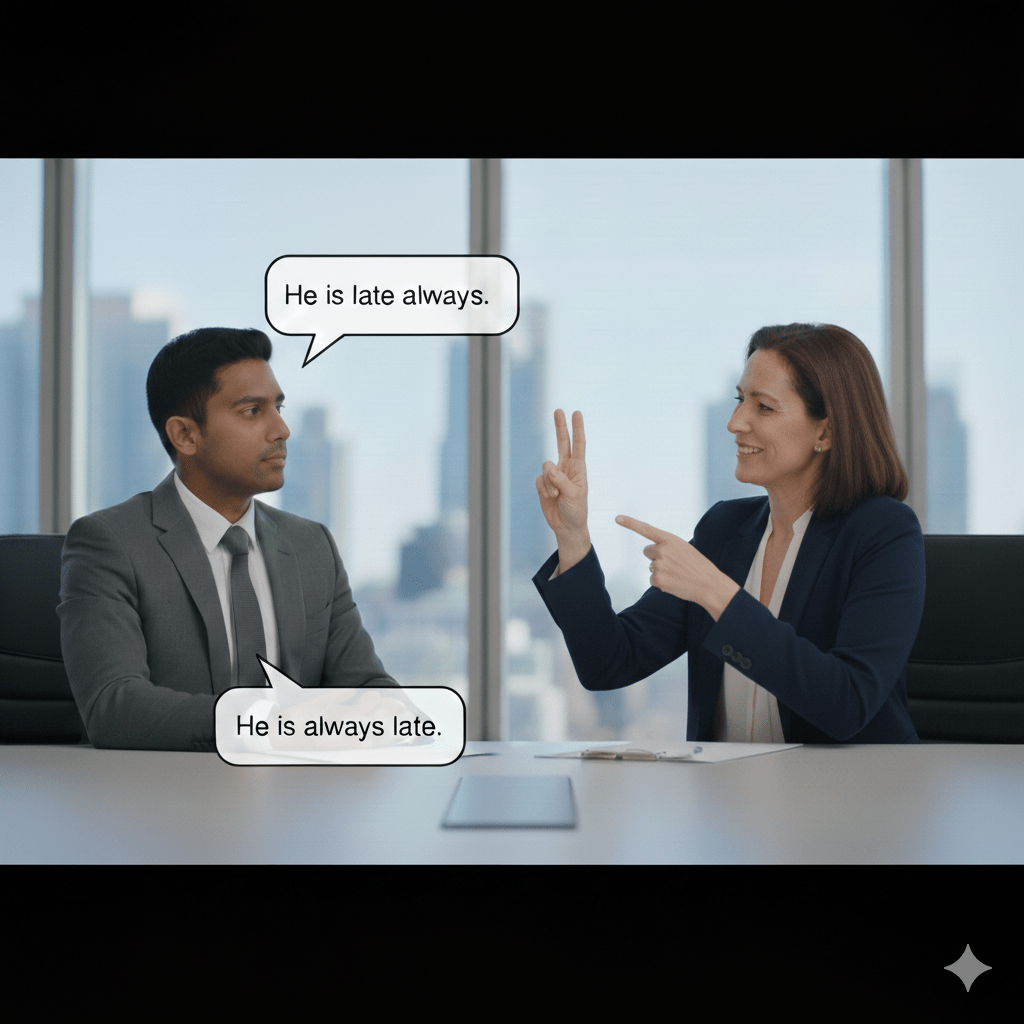
You indicate the error without speaking (fingers for word order, facial expression, gesture).
Example
Student: “He is late always.” Teacher gestures to rearrange words. Student self-corrects: “He is always late.”
Pros
- Keeps fluency going
- Encourages self-correction
- Fun and engaging
Cons
- Needs training and consistency
- Not clear for all learners
Best for: Regular classes, familiar groups, word order issues.
7. Ignoring the Error (Yes, This Is an Option)
You choose not to correct at all.
Example: Warm-up conversation, student says:
“Last weekend I go shopping and meet my friend.”
Teacher listens and responds to meaning only.
Pros
- Protects fluency and confidence
- Encourages risk-taking
- Keeps energy high
Cons
- Errors may fossilise if never addressed later
- Not suitable when accuracy is the aim
Best for: Warmers, fluency tasks, confidence-building stages.
When it’s not needed?
Like I said, you do not always need to correct every mistake at any moment in the class, not even when dealing with a one-to-one session. It’s surely not needed with:
- Warmers at the start of the lesson
- Fluency-focused speaking
- Confidence-building tasks
If students are chatting away freely in a warmer setting and the goal is to get them talking, there is absolutely no need to correct every slip. Just let the language flow naturally. Here fluency comes first.
If we turn this into the concept of feedback, during the class, you can also give feedback when monitoring.
As a teacher you can walk around the room and check during written, spoken, reading, tasks. I would stay where you are when they are listening, because that can be a bit too distracting.
You are monitoring the students’ output. You can, when they are doing a task, come closer and check how they are doing. You can also tell them to check number 7 again for,.. You can also assist them when you see them struggling. Likewise, you can give positive feedback and tell them they did a great job, or let them know which ones are correct.
What I am trying to say is that you don’t need to be passive when monitoring and you don’t only need to be looking for mistakes. Feedback moves beyond mistakes and focuses on the good, as well as the bad.
Delayed Correction: More Than Just Errors
Delayed correction is where we can really show off our teaching skills. Instead of interrupting the students, you listen, take notes, and deal with language after the activity.
Personally, I like to use my phone or a tablet to walk around the class and using a google document. This google document is shared, one on my personal device and one on the computer that is connected to the internet and the projector. So, when I type something on my phone it is immediately visible on the board.
I know, the luxury of technology, but most classes these days will have a computer connected to the internet, wifi in the school and a projector. If you don’t have these things, a clipboard with some notes and copying them on the whiteboard are the same thing. Technology just saves you a lot of time.
Crucially, this is not just about mistakes, so not only error correction but a feedback moment where you can look at the good, the bad and the new.
My balanced board looks like this:
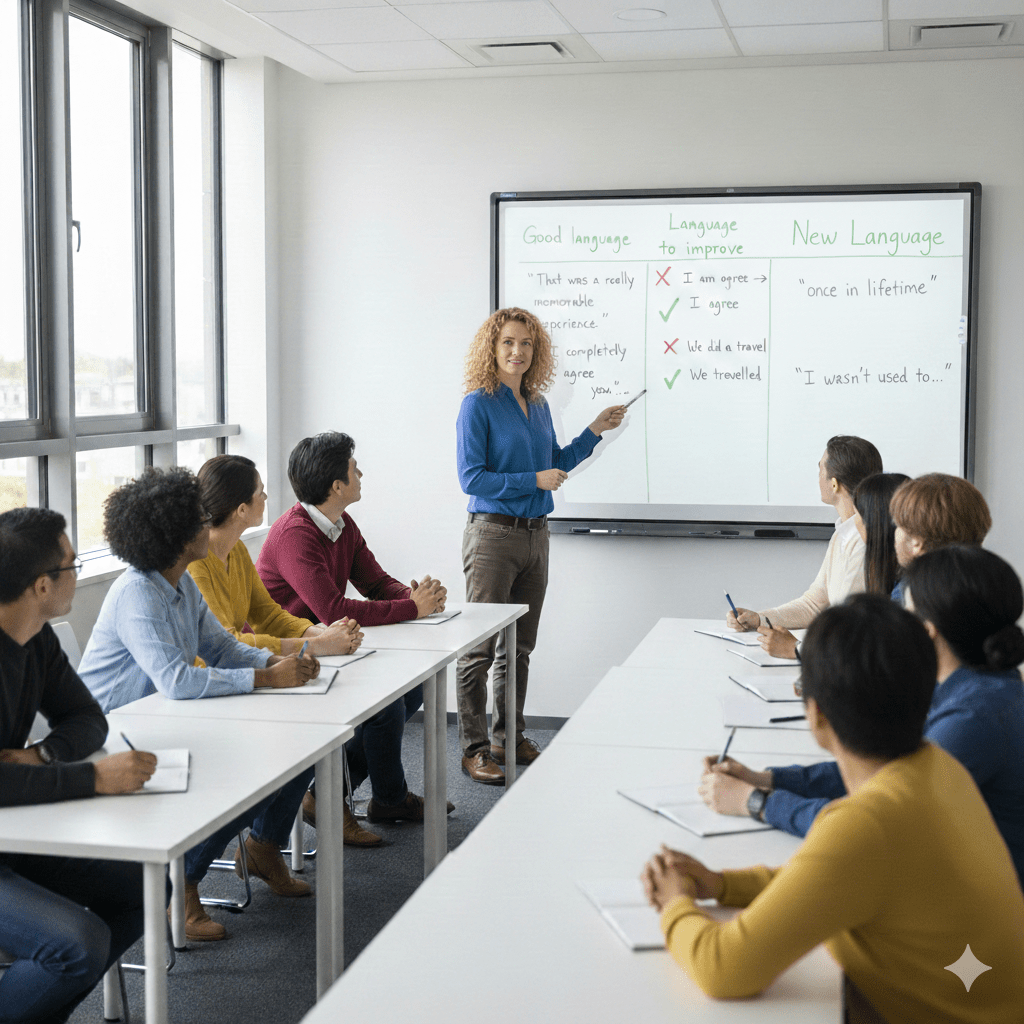
- Good language
- Language to improve
- Emerging language (new vocabulary or structures students tried)
Example
After a discussion, you write on the board:
Good language
- “That was a really memorable experience.”
- “I completely agree with you.”
Let’s improve
- ❌ I am agree → ✅ I agree
- ❌ We did a travel → ✅ We travelled
Here I let the students improve, correct the mistakes. They can discuss in pairs and see if they find the correct answer. This is a learning moment for the students, don’t take it away from them by giving up the solution too easily. You can also support them with extra correction codes (wrong tense, word missing, …)
Oh, and try to group the mistakes together, all the simple past ones together, the articles ones,… this makes it easier for students to see and learn from their mistakes.
New / emerging language
- “once in a lifetime”
- “I wasn’t used to…
When you highlight all 3 aspects the students see that:
- They are doing things right
- Errors are normal and fixable
- Trying new language is encouraged
All this builds confidence and risk-taking and that is exactly what we want in students, so we should reward it.
You Can’t (and Shouldn’t) Correct Everything
Just remember: it is impossible to correct all errors. And even if it were possible, it wouldn’t be helpful to look at every single mistake. You need to prioritise:
- Errors in the target language of the lesson. You don’t want them to fossilise mistakes when they are learning new language.
- Errors that cause misunderstanding. You cannot have a conversation if you don’t understand what was just said. So, miscommunication errors are important to address.
- Errors that many students are making. If you hear many students making the same mistake, it is important to highlight it.
The next step would be to use this to address your teaching. Why are they making this mistake, was there some gap in my teaching, or do they need some more practice. When you have pinpointed the issue, deal with it in the class or the next class. Explain them the exception, give them more practice exercises,….
Sound practical classroom logic
- Warm-up / freer fluency → little or no correction is needed
- Restricted practice → correction is expected and important
- Free practice at the end of the lesson → focus on errors in the target language. For example, if you’ve spent the lesson on comparatives and students still say “more better” in the final speaking task, that error needs to be addressed, ideally through delayed correction, followed up with some more practice and giving them the opportunity to correct themselves.
Going the extra mile
Correction or feedback does not need to end there. Ideally you would give the students the opportunity to do it right. So, give them some time afterwards to use the correct structure in a sentence that they chose. This turns their mistakes or good language into a learning opportunity.
Final Thought from the Trainer’s Chair
Correction isn’t about control or checking, it’s about supporting communication and progress, it is about growing to the next level. It is about turning it into constructive feedback to help them grow.
- Celebrate good language!
- Be selective with mistakes!
- And remember: sometimes the best correction is knowing when to say nothing at all.
That’s not that you are being lazy, that’s that you are being pedagogically smart.
What are your ideas on error correction? Which ones do you prefer? Do you go the extra mile and add some practice?
Let me know in the comments below
Kristof Abrath
Acknowledgement: ChatGPT was used to help edit the text. ChatGPT and Google Gemini were used to create the images